


CRA Reporting Software: Loan Data, Assessment Areas and the Annual File
Comply is CRA reporting software as well as HMDA software. CRA data goes through the same import, geocoding and edit checks as the LAR, sits in the same database, and comes out as the submission file and the tables an examiner reads.
What does CRA reporting software need to do?
Under the CRA regulations, every bank except a small bank reports its CRA data by March 1 for the prior calendar year. For small business and small farm loans, the report gives the number and dollar amount of loans in each census tract, split into three loan-size bands ($100,000 or less, more than $100,000 up to $250,000, and more than $250,000), plus the loans to businesses and farms with gross annual revenues of $1 million or less. It also gives the total number and amount of community development loans, and lists the census tracts in each assessment area. That leaves the software four jobs. It has to put every loan in the right census tract, because the whole report is totaled by tract. It has to run the CRA edits before the file is created. It has to write the file in the format the agencies accept. And it has to turn the same records into the performance tables an examiner reads.
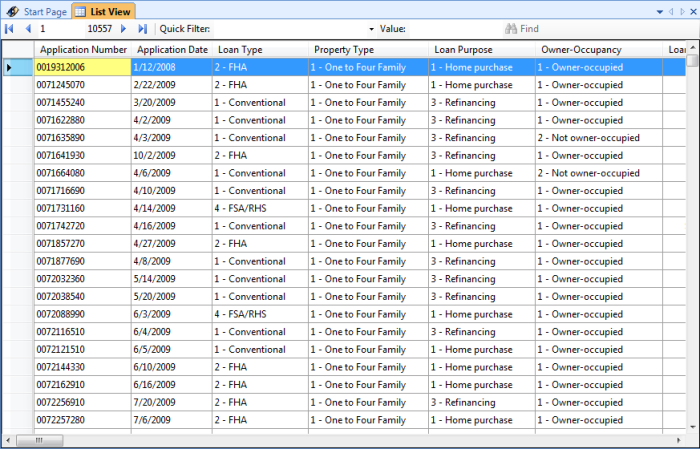
Small business, small farm and community development records come in through the same Import Wizard as the LAR, from any origination system, so nobody keys CRA data twice. Geocoding assigns tract, MSA and county at 98%+ compliance-grade accuracy in one batch pass. An address the engines can’t place is flagged for you to resolve on the map rather than given a plausible guess. CRA edit validations run before the file is written, and the submission file is built from the records you just checked.
The reporting side reads the same data. Disclosure Tables, Performance reports, Trend Analysis and Official Reports run on what you filed, and the Assessment Area reports include the demographic profile of each assessment area. That profile changes when the agencies refresh their census data, so it helps to know how the FFIEC updates tract demographic data. Optional mapping shades tracts by demographic characteristic and overlays branches, ATMs, deposits and lending. Whether you report CRA data at all depends on asset size, and the agencies move that line every year: see the CRA asset-size thresholds by year.
Reporting requirements from the CRA data collection and reporting sections: 12 CFR 228.42 (Federal Reserve, Regulation BB), 12 CFR 345.42 (FDIC) and 12 CFR 25.42 (OCC), in the text that remains in force while the October 2023 CRA final rule is enjoined.
Five Screens, One Database
Pick the part of the cycle you are worried about.
You know where you stand before you open anything
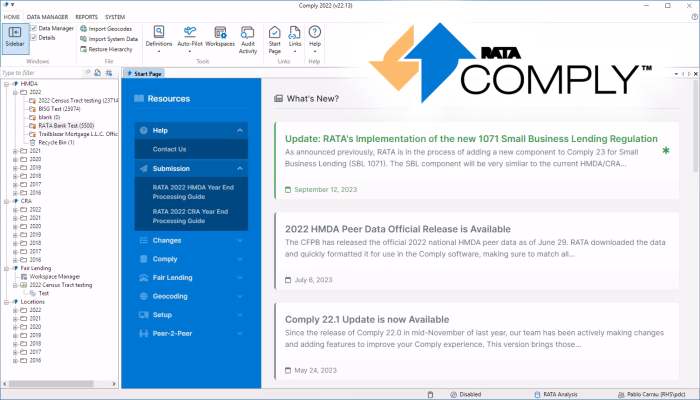
The most expensive compliance failure is the one nobody was tracking. The start page exists so the state of every dataset — imported, validated, geocoded, submitted — is the first thing you see rather than something you have to assemble.
- Open datasets and their stage so a stalled cycle is visible in February, not March.
- Multiple tabs and views several years or entities open side by side.
- Auto-updates applied so the edits you are checking against are this year’s.
Knowing where a cycle stands only helps if you know what still has to happen in it. We keep the filing preparation checklist for the March deadline as a running list, in the order the work actually falls.
An error you can act on, not just a code
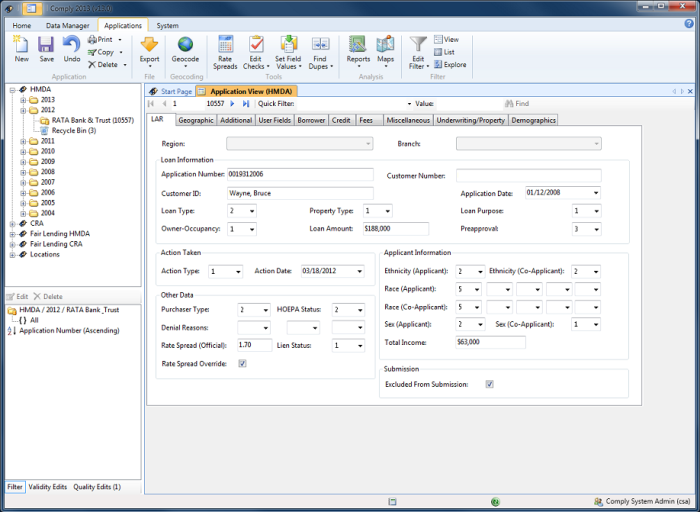
Every failed edit names the field, states the rule and says what a valid value would be. That is the difference between a compliance officer resolving it themselves and raising a support ticket — and at scale it is most of the time saved.
- All FFIEC validity, quality and macro edits run as you work rather than at export.
- Rate spread calculated from APOR tables updated weekly, on both methodologies.
- Full change history per record, attributed to a user, for the examiner review later.

One systematic error, one fix
Rejections almost never come from thousands of separate mistakes. They come from one mapping error repeated across thousands of rows. So the fix should be one action against a filtered set, not a thousand keystrokes.
- Filter and sort to isolate exactly the records that fail one edit.
- Bulk correction applied across hundreds of records in a single operation.
- Duplicate handling that surfaces records for a decision rather than dropping them silently.

A block out is a different tract, and a different filing
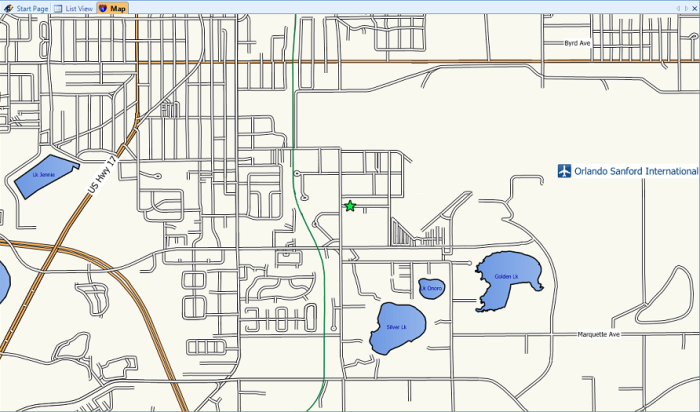
Consumer mapping is optimised to get a driver near a building. Compliance geocoding has to assign the correct census tract, which is a stricter problem. RATA’s engine has run tens of millions of addresses against the boundaries that actually govern your report.
- 98%+ compliance-grade accuracy on tract, MSA and county in one batch pass.
- Hard addresses surfaced and resolvable visually, instead of assigned a plausible guess.
- Assessment area mapping (optional) puts lending against the area an examiner asks about.
Last year’s board report runs again this year, unchanged
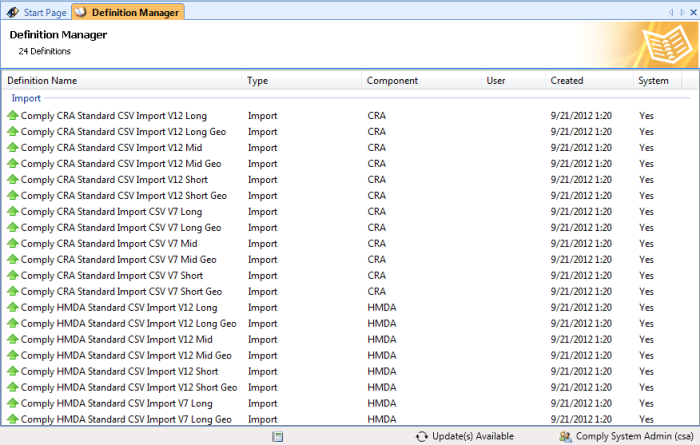
The Definition and Report Manager keeps every table, chart and report you build. That is not only convenience — running the identical definition against new data is what makes the year-over-year comparison trustworthy.
- Custom tables and charts saved as reusable definitions.
- One-click FFIEC submission file validated before it exports.
- Fair Lending, DataMine, Peer-2-Peer and ComplyBI read this same data — no re-keying.
- 39years, since 1987
- Hundredsof institutions filing
- 98%+geocoding accuracy
- 2028Section 1071 compliance date
What Does Comply Look Like in the Browser?
Most of this page describes the desktop Suite. Comply Web is the other route, and it is easier to judge by watching someone set one up than by reading a comparison.
The walkthrough covers the cloud route rather than the desktop Suite that the rest of this page describes. It starts at registration, sets up the reporting entity, and then shows data arriving either by import or by keying it in directly, which is the decision most institutions are actually making when they weigh the two. From there the work happens in the browser: nothing is installed, and the data sits on RATA’s server rather than on a workstation, so the questions it answers are about access and setup rather than about the analysis itself. Recorded in 2014, so treat specific screens as indicative of the workflow rather than of the current interface.
Everything Else It Does
Last updated: October 6, 2026
The five screens above are the ones you will live in. These are the rest — stated as what they save you, because a feature list is only a list.
If the question is how a filing moves from imported LAR to a submitted transmittal, that is easier shown than described: see the HMDA and CRA transmittal workflow end to end.
Import from any LOS
The Import Wizard maps fields from Fiserv, FIS, Jack Henry, Finastra and custom systems — fixed-length, delimited or a direct database connection. Full files, incremental updates and field-level corrections, with SQL transformation and the definition saved for next cycle.
Auto-Pilot scheduled workflows
Schedule any workflow — imports, geocoding, edit checks, report generation — to run overnight without anyone remembering to start it. Build a script once in the wizard, then reuse it as a template. Submission still waits for a person.
Filter and sort anything
Field, demographic and geographic filters in any combination, built through a wizard or scripted. Field Properties shows how many records sit in each value, and clicking one takes you straight to them. Multi-tier sorts work the way Excel's do.
Disclosure tables and reports
Disclosure Tables, Performance reports, Assessment Area reports, Trend Analysis and Official Reports, ready for a board pack. Which of them an examination asks for follows from your CRA asset-size category, which the agencies re-set every year.
Custom tables and charts
When the Report Manager does not have what you need, design your own: up to two tiers on each axis across LAR, geographic or demographic fields, including the demographic profile of an assessment area.
Assessment area mapping (optional)
Map your assessment areas, shade tracts by demographic characteristic, and overlay branches, ATMs, deposits and lending as layers — the picture an examiner asks for when the tables are not enough.
SBL 1071 module
Owner demographics, application-level data and CFPB-compliant submission across every required data point, in the same database as HMDA and CRA rather than a second system to reconcile.
Duplicate record handling
Identify duplicates on Application Number or any other field — address, for instance — and resolve them one at a time or in batch. Whichever methodology your institution uses, Comply handles it.
Multiple tabs and views
Data, reports and maps open side by side, each tab keeping its own history and staying context-sensitive. Close them individually or by type.
Auto-updates
Geocode files move to and from RATA's servers without manual upload, and system data — Treasury rate tables, demographic updates — arrives ready to apply with one click. Firewalled institutions can still do it by hand.
Definition and Report Manager
Create, edit, categorise, move and assign every definition and report in one place, so the import mapping and the reports you built last cycle are where you left them.
Centralised data access
HMDA, CRA, SBL and Fair Lending sit behind one Data Manager on one database, so adding a component adds analysis rather than another round of data entry.
User rights and privileges
Per-component user groups with fully customisable permissions, Windows Authentication for automatic sign-in, and the change attribution an examiner expects to be shown.
Event History and audit trail
Every change is logged and attributed to the user who made it, including batch updates, so the documentation an examiner asks for already exists rather than being reconstructed afterwards.
Runs where you want it
On your own Microsoft .NET and SQL Server, or hosted in Microsoft Azure, which holds a FedRAMP High authorization, through RATA Hosted Services. Identical software either way; millions of records import in minutes. Full system requirements (PDF).
Frequently Asked Questions
The nine we are asked most often, answered properly rather than in a sentence. If yours is not here, it is a better use of your time to ask a person.
Ask us directlyWhat features does Comply HMDA CRA software include?
Comply includes data importing from any origination system, compliance-grade geocoding with 98%+ accuracy, automated FFIEC edit checking, rate spread calculation, assessment area mapping, custom reporting, and direct FFIEC submission capabilities. The software handles HMDA, CRA, and SBL 1071 reporting in a single integrated platform.
Does Comply handle SBL 1071 reporting?
Yes, Comply includes a dedicated SBL (Small Business Lending) module for Section 1071 data collection and reporting, ready for the single compliance date of January 1, 2028 set by the CFPB’s reconsideration final rule of May 1, 2026. The SBL module includes owner demographic tracking, application-level data management, and CFPB-compliant submission file generation.
What is the HMDA filing deadline?
The HMDA filing deadline is March 1st annually for data collected in the previous calendar year. Comply software helps institutions prepare and submit on time with built-in validation, automated geocoding, and comprehensive edit checks that identify issues before submission.
Can Comply import data from my loan origination system?
Yes, Comply's flexible Import Wizard supports data from any origination system including Fiserv, FIS, Jack Henry, Finastra, and custom systems. The wizard handles fixed-length files, delimited files (CSV, tab, pipe), and direct database connections with field mapping and data transformation capabilities.
Can Comply run our LAR import automatically every morning?
Yes. Auto-Pilot, an optional add-on, runs scheduled workflows. You build a job once in the wizard, chaining steps like the import from your LOS, geocoding, edit checks and report generation, then schedule it to run on its own, for example every morning before your team starts. You can also run a job by hand from inside Comply, and a saved job works as a template for the next one. Auto-Pilot never submits anything: a person still reviews the LAR and files it.
What HMDA data fields does RATA validate before submission?
Comply includes every FFIEC Validity and Quality edit check and validates your LAR before submission. Run edit checks at any time to identify and fix data issues immediately, rather than after the CFPB rejects your file. Quality edits can be marked “QC Verified” to streamline review. When the edit check report shows zero errors, the submission is exam-ready and passes FFIEC validation. If you want to see the same checks applied to a single record before you commit to anything, you can run your LAR through the free edit-check validator and read what would fail.
How does RATA calculate HMDA rate spread automatically?
Comply calculates HMDA rate spreads using the correct methodology for each loan, either Treasury Securities or APOR. FFIEC rate tables update automatically every week, so no manual downloads are needed. Rate spreads for an entire portfolio calculate in seconds with a complete audit trail. To check a single figure outside the software, our free FFIEC rate spread calculator runs the same two methodologies one loan at a time, and every rate the tables are built from is in our APOR history, back to January 2, 2017. Rate spread is only one of the fields that stalls a submission — we have written up the ten edit-check errors that most often delay a filing, and how to clear each one.
What geocoding accuracy does RATA achieve for HMDA compliance?
RATA's proprietary Compliance-grade geocoding achieves 98%+ accuracy using multiple data sources and validation layers. Regulation C sets no numeric accuracy floor, so 98%+ is RATA's own published bar rather than a regulatory threshold. Geocode an entire LAR in batch or individual applications in real time. Processing happens on RATA's secure servers with automatic updates to Census Bureau TIGER data, so boundaries are always current without any software maintenance.
How does RATA fix errors across hundreds of HMDA records at once?
Global Operations update thousands of applications at once, which is how systematic data issues and regulatory changes are applied across an entire LAR. Filter to the target records, then apply the change with full audit-trail tracking. Role-based security limits who can run batch updates, and the Event History logs every change for compliance documentation.
How does RATA submit HMDA/CRA data directly to the FFIEC?
The Submission Sentry runs a final validation to confirm the LAR is edit-free and fully geocoded before the file is created. Comply then generates the submission file in exact CFPB format with all required data points, ready for upload to the FFIEC, guided by a wizard that walks through every step.
What Changes If You Stop Doing This By Hand
Every row is a task you are already doing. The question is only what it costs you, and what happens when it goes wrong in February.
| Task | With Comply Software | Manual Process |
|---|---|---|
| Geocoding | Minutes Automated batch processing with 98%+ compliance-grade accuracy. Census tract, MSA, and county assignment in minutes. | Hours Manual lookup using Census Bureau tools. Hours of work, frequent errors, inconsistent results. |
| Edit Checking | Before you file All FFIEC validity and quality edits run instantly. Errors identified before submission with clear explanations. | After rejection Manual review after FFIEC submission rejects your file. Resubmission delays, compliance risk. |
| Rate Spread Calculation | Weekly tables Automated calculation using current APOR tables updated weekly. Handles both old and new methodologies. | Whatever's local Manual calculation using FFIEC tools or spreadsheets. Risk of using outdated rate tables. |
| Data Import | Any LOS Import Wizard supports any LOS format. Field mapping, data conversion, and validation in one step. | Re-keying Manual data entry or complex spreadsheet manipulation. High error rate, time-consuming. |
| Submission File Generation | One click One-click FFIEC submission file creation in correct format. Validated before export. | Hand-formatted Manual file formatting with text editors. Format errors common, submission rejections frequent. |
| Time to File | Days Days from data collection to submission | Weeks or months Weeks or months of manual work |
| Audit Trail | Automatic Complete change history, user tracking, and documentation for examiner review. | Reconstructed Manual documentation, incomplete records, difficult to reconstruct decisions. |
| Annual Updates | Shipped to you Automatic regulatory updates, edit check changes, and new MSA/tract boundaries included. | Someone must notice Manual research and implementation of regulatory changes. Risk of missing critical updates. |
What Our Customers Say
Trusted by financial institutions nationwide for compliance excellence
“RATA provides the tools and resources to assist with lending pattern analysis for fair lending and CRA to maintain appropriate monitoring and reporting. The staff at RATA are helpful and will provide assistance quickly when needed.”
“The folks at RATA were outstanding. Every time I had a question, I would speak to someone who either knew the answer immediately or could provide the answer within a very short period of time. Everyone I spoke with knew their product, industry and was willing to do whatever it took to help us solve our problem. I would highly recommend RATA and COMPLY to anyone who is considering this company and product.”
“The support has been exceptional. The program is very easy to use. RATA has been one of the best companies I have dealt with in my 25 years of banking. Their service has exceeded my expectations.”


 … and hundreds of others since 1987
